

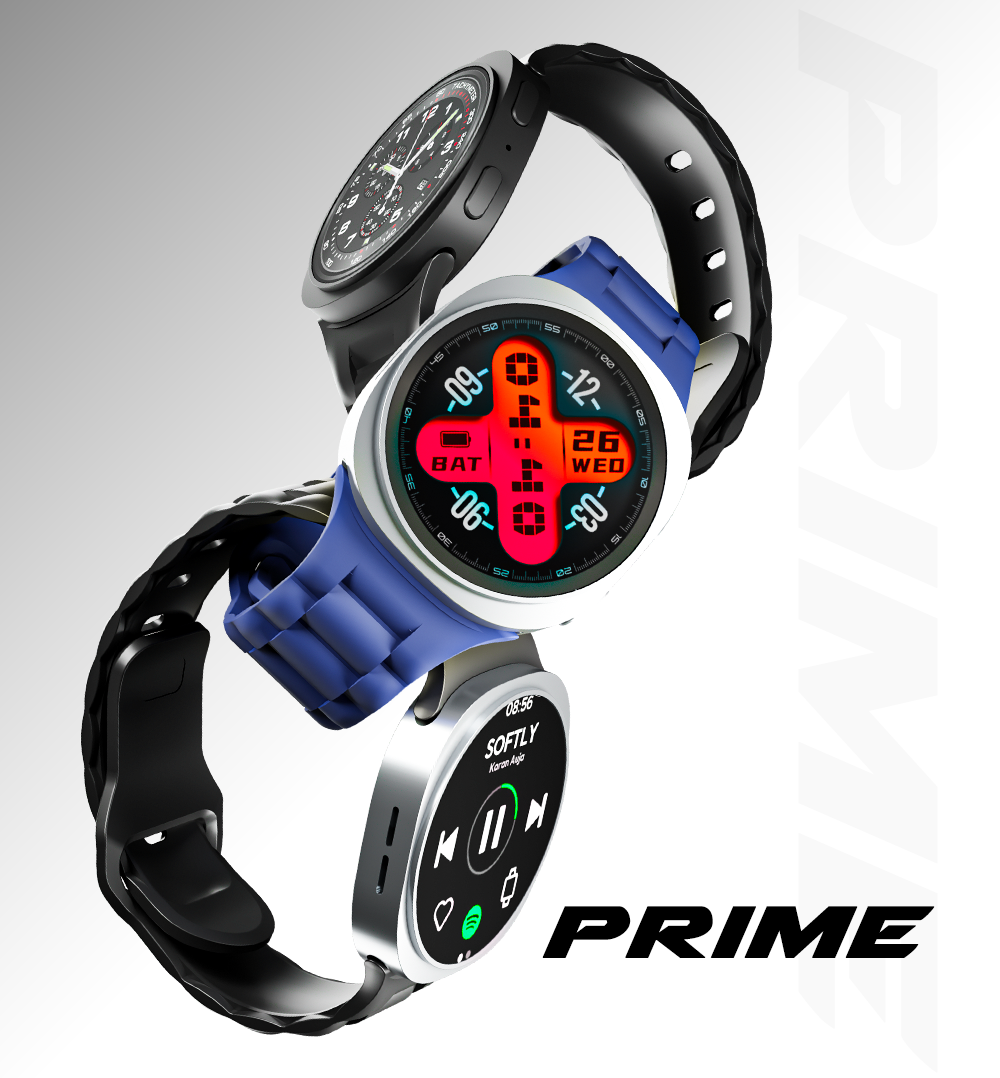
SnapUp Prime Smartwatch
Make every moment smarter with the SnapUp Prime Smartwatch. Featuring a 1.5-inch HD Lumax Round Display, 500 nits brightness and advanced Bluetooth calling, it keeps your everyday essentials right on your wrist.
Stay connected with Snap Alerts, synced contacts and call management. Track your daily activity with 23 active sports modes, sleep monitoring, heart rate monitoring and blood oxygen monitoring. With an AI Assistant, music and camera controls, weather updates, customizable watch faces and multiple app menu styles, SnapUp Prime brings convenience and smart features together.
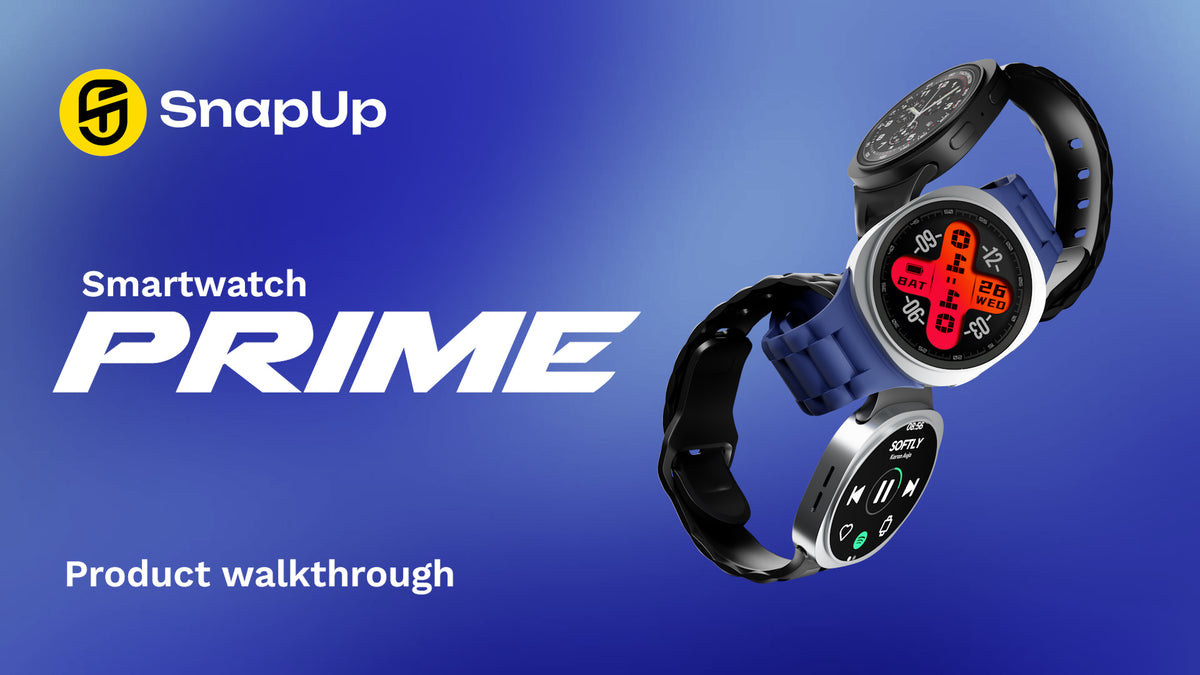
Key Features
- 1.5-inch HD Lumax Round Display: A clear, vibrant display with 240 × 240 resolution.
- 500 Nits Brightness: Designed for improved display visibility.
- Advanced Bluetooth Calling: Make and manage calls directly from your smartwatch.
- HryFine App: Connect your smartwatch to the compatible HryFine mobile app.
- 8 Customisable Watch Faces: Personalise your watch display.
- 23 Active Sports Modes: Track different types of physical activities.
- Health Monitoring: Includes heart rate, blood oxygen and sleep monitoring.
- Smart Activity Tracker: Keep track of your daily activity.
- Sync Contacts: Access synced contacts from your watch.
- Call Management: Attend, reject or redial calls.
- Snap Alerts: Receive notifications from X, Instagram, Facebook and other supported apps.
- AI Assistant: Access assistant functionality from your smartwatch.
- Find My Phone: Helps locate your connected smartphone.
- Do Not Disturb Mode: Manage interruptions when you need quiet time.
- Sedentary Reminder: Get reminders to move after periods of inactivity.
- Goal Reminder: Stay informed about your activity goals.
- Camera Control: Control your phone camera using the watch.
- Music Control: Manage music playback from your wrist.
- Weather Updates: Check weather information.
- Car Racing Game: Enjoy an inbuilt gaming feature.
- Motion Gesture Display: Turn on the display using a wrist movement gesture.
- Battery Life Indicator: Check the remaining battery level.
- Up to 3 Days Battery Life: Battery performance as specified.
- Up to 2 Hours Charging Time: Charging time as specified.
- 6 App Menu Styles: Choose from six different menu layouts.
- 22 Language Selection: Select from 22 supported languages.
- Password Enabled: Password protection functionality.
- SOS Emergency Alarm: Emergency alarm feature.
- Dust and Sweat Resistant: Designed to withstand everyday dust and sweat exposure.
How to Set Up Your SnapUp Prime Smartwatch
1. Charge Your Smartwatch
- Connect the compatible charging cable to the smartwatch charging points.
- Connect the cable to a suitable USB power source.
- Allow the smartwatch to charge.
- Disconnect the charging cable once charging is complete.
Charging time: Up to 2 hours.
2. Download the HryFine App
- Open the Google Play Store or Apple App Store on your smartphone.
- Search for the HryFine application.
- Download and install the app.
- Open the application and follow the on-screen instructions to get started.
3. Connect Your Smartwatch to Your Phone
- Switch on Bluetooth on your smartphone.
- Open the HryFine app.
- Follow the app's device-binding or add-device instructions.
- Select your SnapUp Prime Smartwatch from the available devices.
- Complete the pairing process by following the instructions displayed in the app.
Keep your smartwatch and smartphone close to each other during pairing.
4. Set Up Notifications
- Open the HryFine app.
- Navigate to the notification settings.
- Enable notifications for the supported applications you want to receive alerts from.
- Allow the required notification permissions on your smartphone.
Once enabled, supported notifications can appear on your smartwatch.
How to Use Your SnapUp Prime Smartwatch
Bluetooth Calling
SnapUp Prime supports advanced Bluetooth calling, allowing you to manage calls from your wrist.
- Connect your smartwatch to your smartphone.
- Sync your contacts through the HryFine app.
- Use the watch to attend incoming calls.
- Reject calls when required.
- Use the redial function to call back.
Watch Faces and Display Settings
Personalise your smartwatch with eight customisable watch faces.
The watch also offers six different app menu styles, allowing you to choose a layout that suits your preference.
Sports and Activity Tracking
SnapUp Prime features 23 active sports modes to help track different physical activities.
Select the relevant sports mode on your watch before beginning an activity. The smartwatch can then record activity information for that session.
Health Monitoring
The smartwatch includes:
- Heart Rate Monitoring
- Blood Oxygen Monitoring
- Sleep Monitoring
These features help you view general wellness and activity-related readings.
Important: Health measurements are intended for general reference and wellness tracking only. They are not medical measurements and should not be used for diagnosis or treatment.
Smart Notifications – Snap Alerts
Stay updated with notifications from supported applications, including:
- X
- Other supported apps
Enable the relevant notification permissions through the HryFine app and your smartphone settings.
Music Control
Use the smartwatch to control music playback on your connected smartphone.
Camera Control
Use the camera control feature to operate your connected smartphone camera, where supported.
Find My Phone
Use the Find My Phone feature to help locate your connected smartphone when it is within the supported connection range.
Do Not Disturb Mode
Enable Do Not Disturb mode when you want to reduce interruptions from notifications and alerts.
Weather Updates
Access weather information through the smartwatch. Availability of updated weather information may depend on the connected smartphone and app permissions.
AI Assistant
Access the AI Assistant feature through the smartwatch as supported by the connected device and software.
Motion Gesture Display
The motion gesture feature allows the watch display to turn on when you move or raise your wrist.
SOS Emergency Alarm
SnapUp Prime includes an SOS emergency alarm feature. Refer to the watch settings and user instructions for its activation and operation.
Password Protection
Use the password-enabled functionality to add an additional layer of access protection to your smartwatch.
Battery and Charging Guide
SnapUp Prime offers up to 3 days of battery life, depending on usage and settings.
Charging time: Up to 2 hours.
Battery Saving Tips
- Reduce display brightness when not required.
- Turn off notifications that you do not need.
- Disable Bluetooth calling when not in use.
- Use Do Not Disturb mode when appropriate.
- Limit unnecessary display wake-ups and gesture activation.
- Switch off features that are not required.
Actual battery performance may vary depending on Bluetooth calling, display brightness, notifications, sports tracking and other usage conditions.
Troubleshooting Guide
The Smartwatch Is Not Turning On
- Connect the smartwatch to its charging cable.
- Allow it to charge for some time.
- Check that the charging cable is properly connected.
- Try switching on the watch again.
The Smartwatch Is Not Connecting to the Phone
- Ensure Bluetooth is enabled on your smartphone.
- Keep the smartwatch close to your phone.
- Open the HryFine app and retry the device-binding process.
- Check whether the smartwatch is already connected to another phone.
- Restart Bluetooth and try pairing again.
Bluetooth Calling Is Not Working
- Ensure the smartwatch is connected to your smartphone.
- Check Bluetooth permissions and connection settings.
- Verify that calling functionality is enabled and available.
- Disconnect and reconnect the smartwatch if necessary.
Notifications Are Not Appearing
- Check that the smartwatch is connected to the HryFine app.
- Enable notification access for the app.
- Check notification permissions on your smartphone.
- Ensure notifications are enabled for the required applications.
- Check whether Do Not Disturb mode is active.
Heart Rate or Blood Oxygen Readings Are Not Displaying
- Wear the smartwatch properly on your wrist.
- Ensure the sensor area is clean.
- Keep the watch comfortably fitted against your skin.
- Try taking the reading again.
Remember that these readings are for general wellness reference and not medical diagnosis.
The Smartwatch Is Not Charging
- Check that the charging cable is properly aligned with the charging points.
- Clean the charging contacts gently using a soft, dry cloth.
- Try a compatible power source.
- Allow the watch to charge and check again.
Find My Phone Is Not Working
- Ensure the smartwatch is connected to your smartphone.
- Keep both devices within the supported Bluetooth connection range.
- Check the relevant permissions and app connection.
Weather Information Is Not Updating
- Ensure your smartphone has an active internet connection.
- Check the HryFine app connection.
- Allow the necessary location and app permissions.
- Reconnect the smartwatch if required.
FAQs
What is the display size of the SnapUp Prime Smartwatch?
It features a 1.5-inch HD Lumax Round Display with 240 × 240 resolution and 500 nits brightness.
Which app is used to connect the smartwatch?
SnapUp Prime uses the HryFine app for smartphone connectivity and supported smart features.
Does SnapUp Prime support Bluetooth calling?
Yes. It supports advanced Bluetooth calling, including attending, rejecting and redialling calls.
How many sports modes does the smartwatch offer?
It offers 23 active sports modes.
Does the smartwatch support health monitoring?
Yes. It includes heart rate monitoring, blood oxygen monitoring and sleep monitoring for general wellness reference.
Can I receive social media notifications on the smartwatch?
Yes. Snap Alerts support notifications from X, Instagram, Facebook and other supported applications, subject to app and phone permissions.
How many watch faces are available?
The smartwatch offers eight customisable watch faces.
How long does the battery last?
The specified battery life is up to 3 days. Actual battery performance depends on usage and settings.
How long does it take to charge?
The specified charging time is up to 2 hours.
Does SnapUp Prime support an AI Assistant?
Yes. It includes an AI Assistant feature, subject to the connected device and supported software functionality.
Is there warranty for the product? How do I claim warranty?
Yes, there is 1 year warranty on the product. To register your device, visit here.