

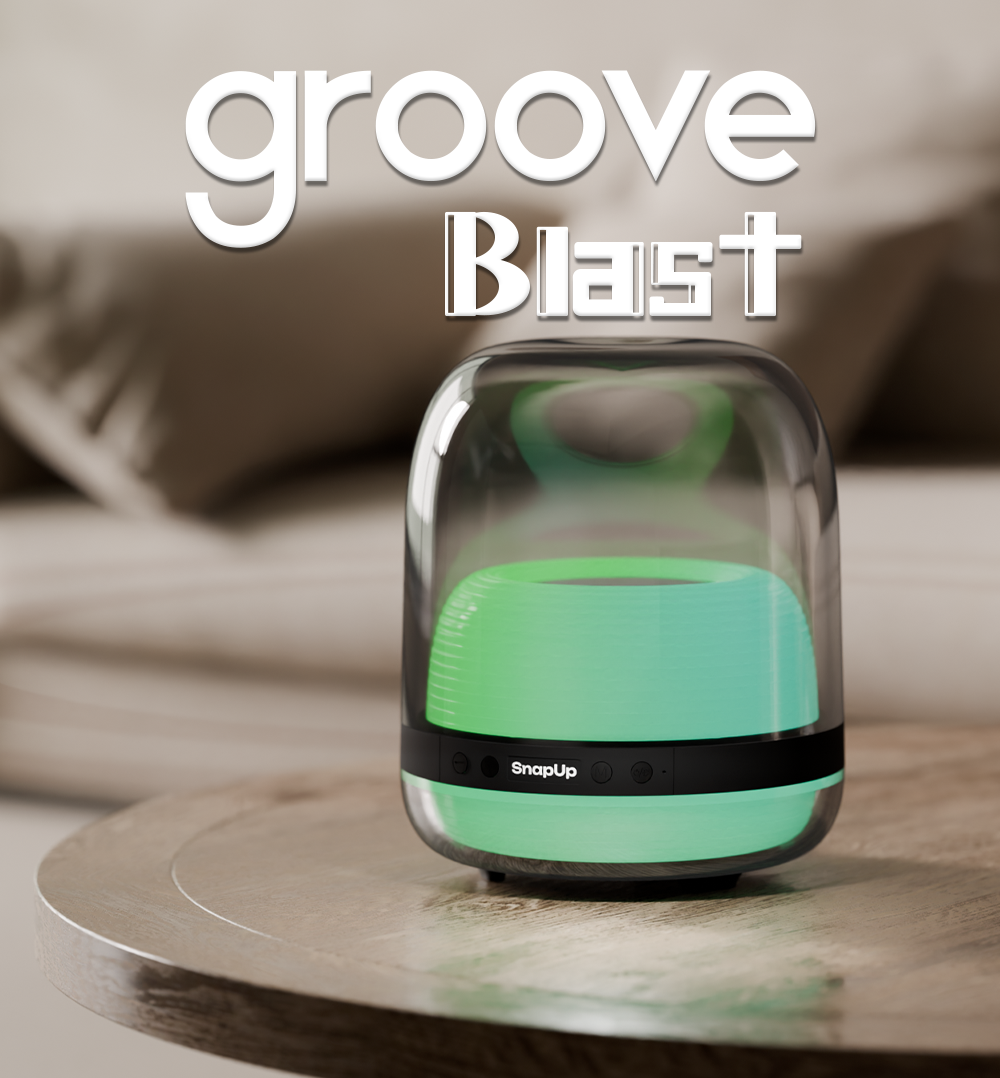
SnapUp Groove Blast
Everything You Need To Know About Your Groove Blast
Welcome to the official support page for SnapUp Groove Blast - your portable entertainment companion built for immersive sound, RGB vibes, and everyday music experiences.
This page includes product usage instructions, button controls, LED indicators, charging guidance, TWS pairing information, safety recommendations, and troubleshooting essentials to help you get the best experience from your Groove Blast speaker.
About Using Groove Blast
SnapUp Groove Blast is designed for wireless music streaming, portable entertainment, travel, gaming sessions, parties, and everyday listening. The speaker supports Bluetooth V5.3 connectivity, USB playback, TF card support, FM mode, TWS pairing, RGB lighting effects, and hands-free calling functionality.
For the best experience:
- Fully charge the speaker before first use
- Keep Bluetooth enabled on your device while pairing
- Use integrated controls directly on the speaker for quick operation
- Use TWS mode to connect two Groove Blast speakers together for enhanced stereo sound
LED Indicators
Function | LED Status
- Full Charge Indication | Red light OFF
- Charging Indication | Red light GLOW
- Speaker Auto OFF | 10 minutes with & without Bluetooth connection
- Bluetooth Connected | Blue light flashing slowly
- Bluetooth Pairing Mode | Blue light flashing
Tips For Best Performance
- Please read the instructions carefully or watch the Product Walkthrough Video before using the product.
- Fully charge the speaker before first use for optimal battery performance.
- If the speaker is not used for a long period, charge it once every 15 days to maintain battery health.
- Use a certified charger from a reputed brand with CE or CCC certification.
- Groove Blast supports FM mode. To activate FM functionality, keep the charging cable plugged in as it works as an antenna.
TWS (True Wireless Stereo) Mode
Groove Blast supports TWS functionality, allowing you to connect two Groove Blast speakers together for a more immersive stereo sound experience.
Using TWS mode enhances:
- Audio coverage
- Bass impact
- Stereo separation
- Party and entertainment experiences
To activate TWS mode:
- Turn ON both Groove Blast speakers
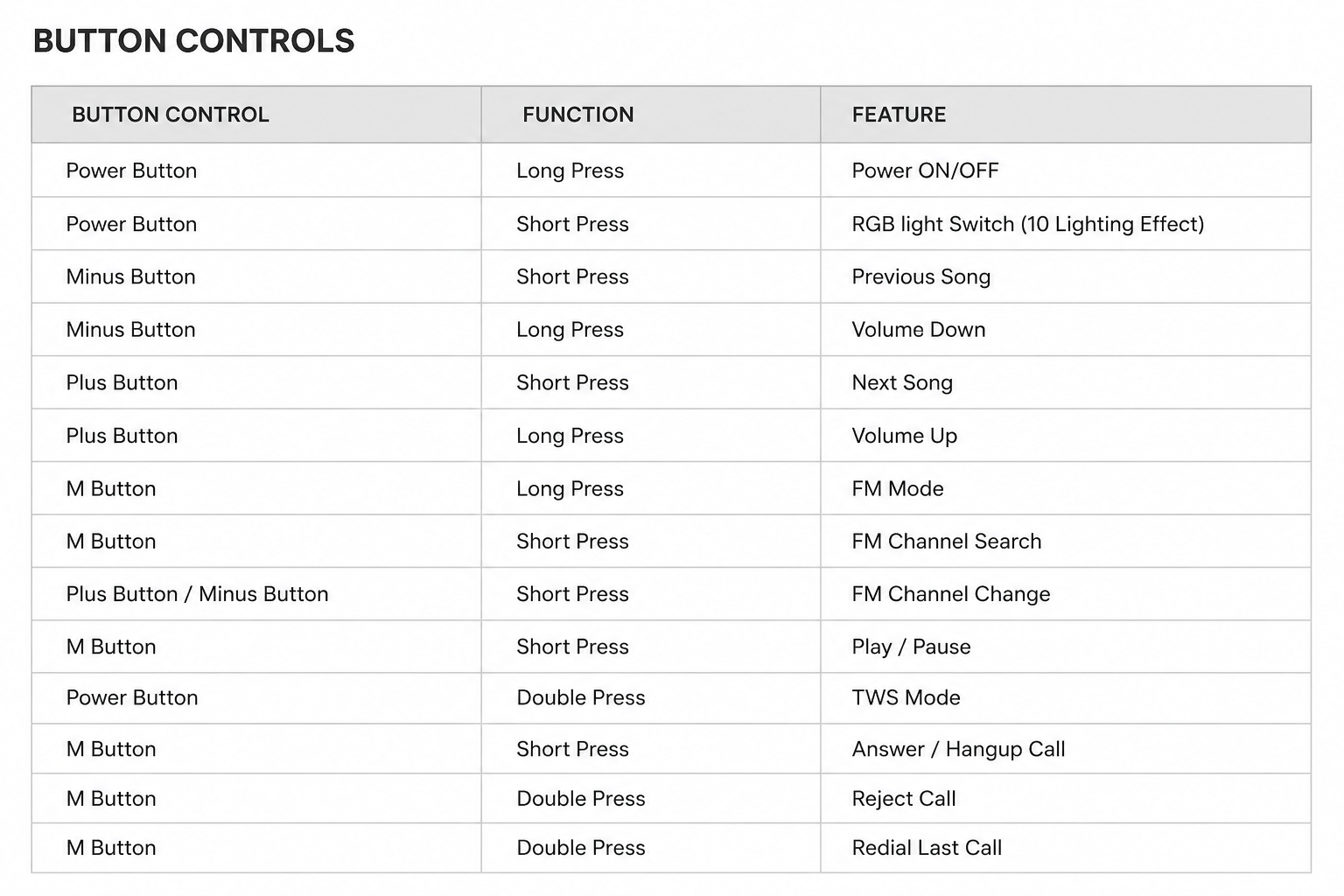
- Double press the Power Button
- Connect your smartphone via Bluetooth
- Enjoy synchronized stereo audio playback
For a complete setup walkthrough, please refer to the official Product Walkthrough Video.
Shut Down Instructions
To shut down the speaker:
- Long press the Power Button until the speaker powers OFF.
Charging Guidelines
For safe and efficient charging:
- Use the Type-C charging cable provided with the speaker
- Avoid overcharging the device
- Use certified charging adapters only
- Keep the charging port clean and dry
Charging Indicator:
- Red Light ON = Charging
- Red Light OFF = Fully Charged
Hands-Free Calling Support
Groove Blast supports hands-free calling functionality.
Using the M Button:
- Short Press → Answer/Hangup Calls
- Double Press → Reject Incoming Calls
- Double Press → Redial Last Dialed Number
This allows convenient calling directly through the speaker while connected via Bluetooth.
Product Features Overview
SnapUp Groove Blast includes:
- Bluetooth V5.3 Wireless Connection
- 14W Immersive Sound
- Super Bass Output
- RGB Lighting Effects
- USB Playback Support
- TF Card Slot
- FM Connectivity
- TWS Stereo Pairing
- Type-C Charging
- Hands-Free Calling
- 66mm Speaker Driver
- Integrated Controls
- Up to 10 Hours Playtime
Warning & Safety Instructions
Please follow these safety precautions while using Groove Blast:
- Use only the recommended charging guidelines provided on the packaging.
- Do not open, disassemble, or tamper with the speaker.
- Keep the device away from water, liquids, and damp environments.
- Avoid exposing the speaker to extreme heat or cold.
- For prolonged speaker life and ear safety, avoid playing audio at maximum volume for extended periods.
- Do not attempt to repair or modify the product on your own.
Failure to follow these guidelines may affect product performance and safety.
FAQs
How do I connect Groove Blast via Bluetooth?
Turn ON the speaker and enable Bluetooth on your smartphone or device. Select “Groove Blast” from the available Bluetooth devices list to connect.
Does Groove Blast support TWS pairing?
Yes, Groove Blast supports TWS functionality allowing two speakers to pair together for stereo sound output.
How long does the battery last?
SnapUp Groove Blast offers up to 10 hours of playtime depending on usage and volume levels.
Does Groove Blast support FM radio?
Yes, the speaker supports FM functionality. Keep the charging cable connected while using FM mode as it acts as an antenna.
Can I use USB and TF card playback?
Yes, Groove Blast supports both USB playback and TF card audio playback.
How do I change RGB lighting effects?
Short press the Power Button to switch between the available RGB lighting modes.
Is Groove Blast suitable for travel and outdoor use?
Yes, Groove Blast is designed with a portable and compact build suitable for travel, gatherings, and everyday entertainment.
Does SnapUp Groove Blast come with 1 Year Warranty? How do I Claim it?
Yes, Groove Blast does cover 1-Year Warranty on Manufacturing Defect. Register here.