

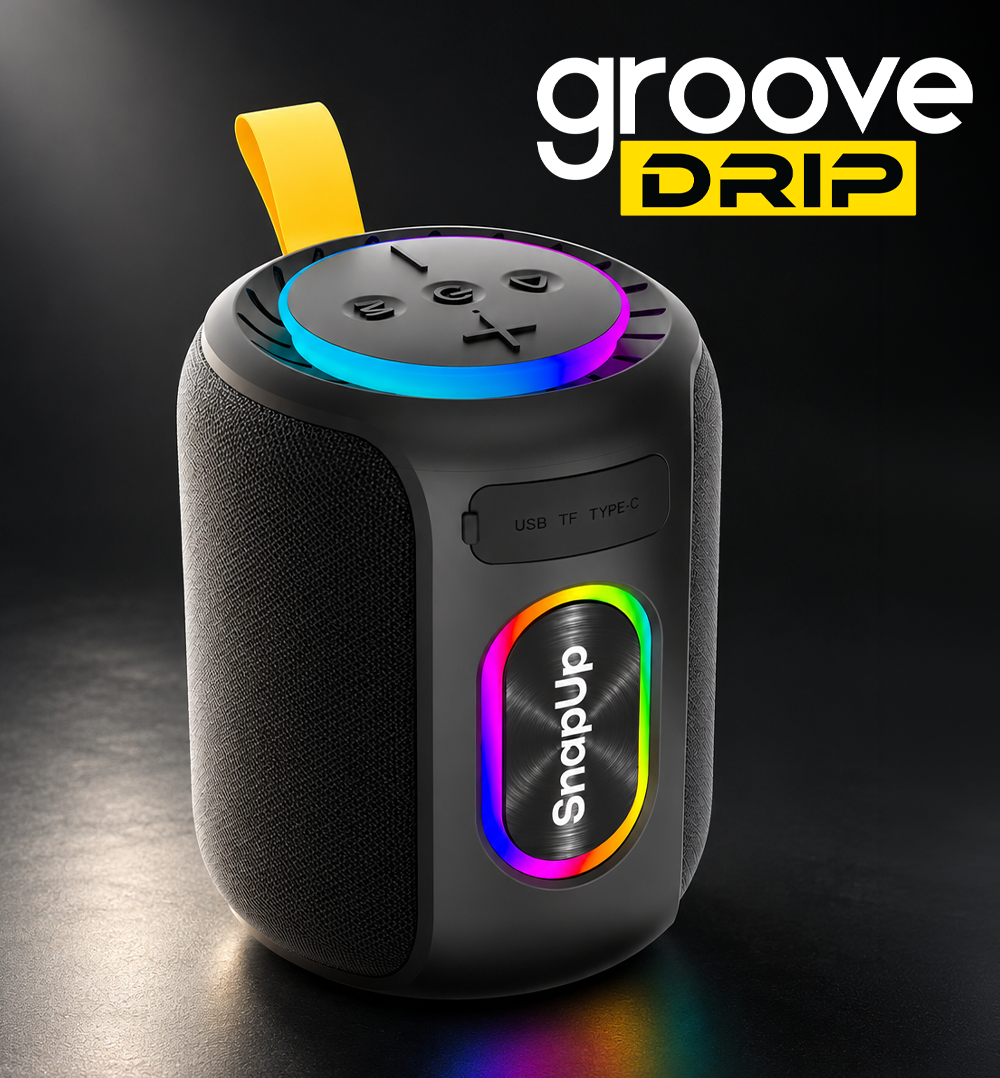
SnapUp Groove Drip
Turn up your listening experience with the SnapUp Groove Drip Bluetooth Speaker. Featuring 25W powerful surround sound, blasting audio and a 78mm speaker driver, Groove Drip is designed to bring your favourite music to life.
With Bluetooth 5.3, TF card, FM radio and USB playback, you can enjoy music through multiple sources. TWS support lets you pair with a compatible speaker for a bigger sound experience, while RGB lighting adds colour to your music sessions.
Its integrated controls, Type-C charging port and ABS construction make it a practical companion for everyday entertainment.
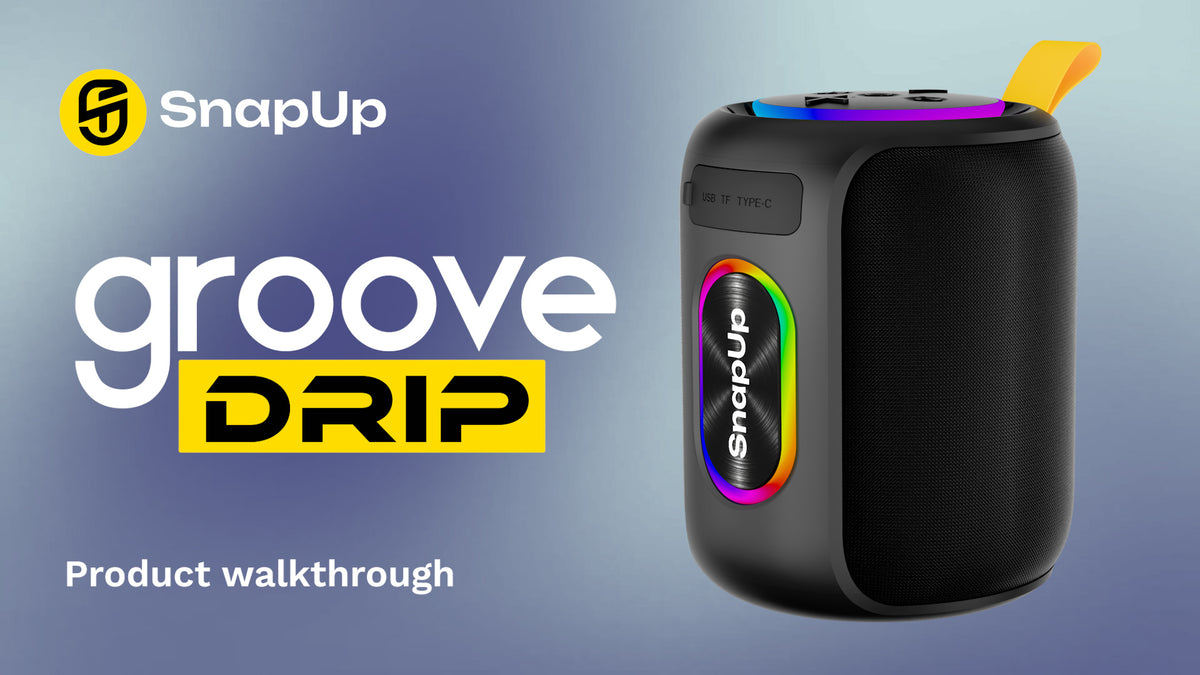
Key Features
- 25W Powerful Surround Sound: Enjoy powerful audio for your favourite tracks.
- Bluetooth 5.3: Wireless connectivity with compatible devices.
- 78mm Speaker Driver: Designed for powerful sound output.
- Blasting Sound: Enjoy an energetic listening experience.
- Multiple Playback Options: Supports Bluetooth, TF card, FM radio and USB playback.
- TWS – Double Impact: Pair with a compatible speaker for a wider sound experience.
- RGB Lights: Colourful lighting effects for your music sessions.
- Type-C Charging Port: Convenient charging connection.
- Up to 7 Hours Playtime: Based on 60% volume with RGB lighting switched off.
- Integrated Controls: Manage playback, volume, modes and lighting using the speaker buttons.
- Sweat and Dust Resistance: As specified for the product; no formal IP rating provided.
- Up to 75 Hours Standby: Standby time as specified.
- Charging Time: Up to 3 hours.
- Material: ABS.
Note: Actual playtime may vary depending on volume, RGB lighting and usage conditions.
How to Set Up Your SnapUp Groove Drip Speaker
1. Power On and Power Off
- Power ON: Long-press the Power Key, as specified in the supplied control guide.
- Power OFF: Long-press the Power Key, as specified in the supplied control guide.
2. Connect via Bluetooth
- Switch on the speaker.
- Enable Bluetooth on your smartphone or compatible device.
- Open the list of available Bluetooth devices.
- Select the speaker name displayed on your device.
- Once connected, play music from your preferred audio app.
If the speaker does not appear in the Bluetooth list, check that it is powered on and available for pairing. Disconnect any previously connected device if necessary, then try again.
3. Play Music
Use the integrated buttons to play or pause music, change tracks, adjust volume and switch between playback modes.
How to Use the Different Playback Modes
Bluetooth Mode
- Switch on the speaker.
- Enable Bluetooth on your phone.
- Select the speaker from the available Bluetooth devices.
- Play music from your preferred app.
TF Card Mode
Insert a compatible TF card containing supported audio files into the TF card slot. Use the M Button to switch to the appropriate playback mode.
USB Mode
Connect a compatible USB storage device to the USB Read Slot to play supported audio files. Use the M Button to switch playback modes as needed.
FM Radio Mode
- Switch to FM mode using the M Button.
- Double-press the Play/Pause Button to search for FM channels, according to the supplied control guide.
- Use the Plus Button to move to the next FM channel.
- Use the Minus Button to move to the previous FM channel.
TWS Mode – Double Impact
Groove Drip supports TWS pairing with a compatible speaker.
- Switch on the compatible speakers.
- Double-press the M Button to activate TWS, as specified for this model.
- Follow the speaker's pairing response to complete the connection.
Confirm the exact TWS pairing sequence with the production unit before publishing detailed pairing instructions.
RGB Lighting
Groove Drip features RGB lighting. According to the supplied control guide, press the Power Key once to change the RGB reflection or switch the lighting off.
Charging Your SnapUp Groove Drip Speaker
- Connect a compatible charging cable to the Type-C charging port.
- Connect the cable to a suitable USB power source.
- Check the indicator light to monitor charging.
- Allow the speaker to charge fully before disconnecting it.
Charging time: Up to 3 hours.
Battery and Playback Tips
- For the specified playtime of up to 7 hours, use the speaker at around 60% volume with RGB lighting switched off.
- Higher volume and RGB lighting may reduce playback time.
- Charge the speaker using the Type-C charging port.
- Disconnect the charging cable after charging is complete.
- Store the speaker in a clean, dry place when not in use.
Care and Maintenance
- Clean the speaker gently with a soft, dry cloth.
- Keep the charging port free from dust and moisture.
- Avoid exposing the speaker to excessive moisture.
- Do not immerse the speaker in water.
- Store it safely when not in use.
Troubleshooting Guide
The Speaker Is Not Turning On
- Check that the speaker has sufficient charge.
- Use the Power Key according to the operating instructions.
- Connect the charging cable and check whether the red charging light glows.
- Try switching the speaker on again after charging.
Bluetooth Is Not Connecting
- Ensure Bluetooth is enabled on your phone.
- Make sure the speaker is switched on and available for pairing.
- Select the speaker from the available Bluetooth devices list.
- Disconnect any previously connected device and try again.
No Sound Is Coming from the Speaker
- Check the volume on both the speaker and your connected device.
- Confirm that the correct playback mode is selected.
- Ensure the audio source is playing.
- Reconnect your Bluetooth device or try another supported playback source.
FM Radio Is Not Finding Channels
- Switch to FM mode.
- Double-press the Play/Pause Button to search for channels, as specified in the control guide.
- Use the Plus and Minus Buttons to navigate available FM channels.
The Speaker Is Not Charging
- Check that the Type-C cable is connected securely.
- Try a compatible charging cable and power source.
- Check whether the red charging indicator glows.
- If the issue continues, contact SnapUp support.
RGB Lights Are Not Changing
- Ensure the speaker is switched on.
- Press the Power Key once to change the lighting effect or switch the lights off, according to the supplied control guide.
- If the lights remain unresponsive, contact SnapUp support.
TWS Pairing Is Not Working
- Ensure both speakers support TWS.
- Keep both speakers switched on and close to each other.
- Try the specified double-press action on the M Button.
- If pairing still fails, check the model-specific instructions.
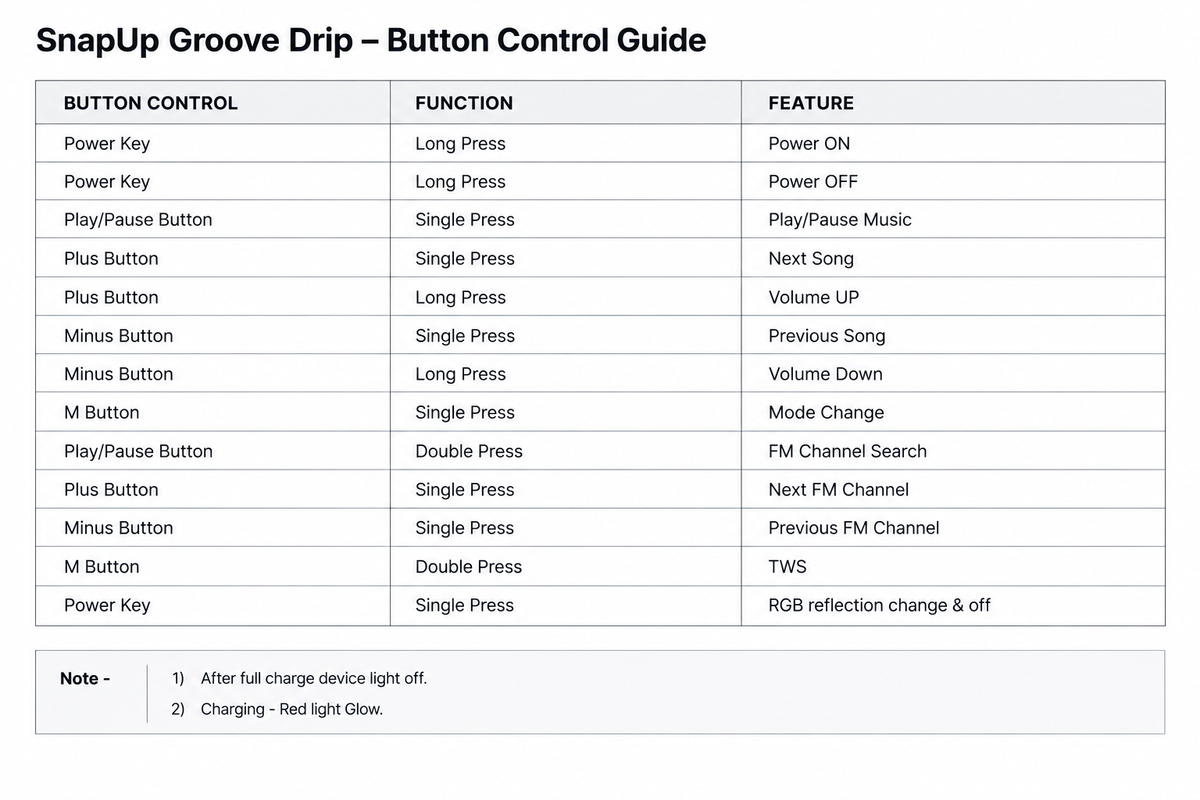
Control verification note: The supplied table lists a long press of the Power Key for both powering on and powering off. It also assigns a single press of the Power Key to RGB lighting control. Confirm the exact button behaviour on the production unit before publishing this as the final user manual.
FAQs
What is the output power of the SnapUp Groove Drip speaker?
The Groove Drip features 25W powerful surround sound.
Which Bluetooth version does Groove Drip support?
It supports Bluetooth 5.3.
How long does the battery last?
The speaker offers up to 7 hours of playtime at 60% volume with RGB lighting switched off. Actual playtime may vary.
How long does it take to charge?
The specified charging time is up to 3 hours.
Which playback modes are supported?
The speaker supports Bluetooth, TF card, FM radio and USB playback.
Does Groove Drip support TWS?
Yes. It supports TWS pairing with a compatible speaker.
Does the speaker have RGB lighting?
Yes. Groove Drip features RGB lighting, controlled using the Power Key according to the supplied control guide.
What is the speaker driver size?
Groove Drip features a 78mm speaker driver.
Is the SnapUp Groove Drip waterproof?
The supplied specifications mention sweat and dust resistance but do not provide a formal IP rating. Avoid immersing the speaker in water or exposing it to heavy moisture.
What does the red indicator light mean?
The red light glows while the speaker is charging. The indicator light turns off when the speaker is fully charged.
Does SnapUp Groove Drip come with 1 Year Warranty? How do I Claim it?
Yes, Groove Drip does cover 1-Year Warranty on Manufacturing Defect. Register here.