

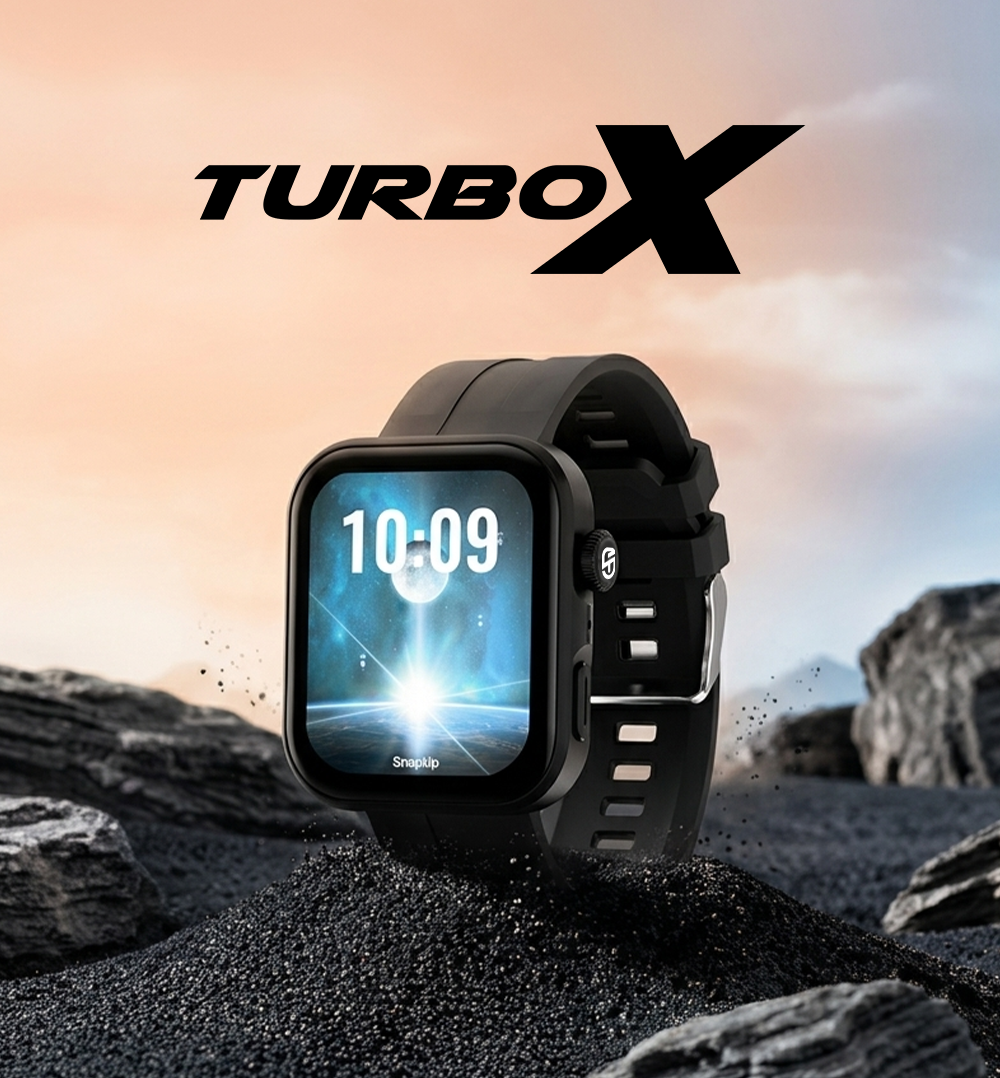
SnapUp Turbo X
The SnapUp Turbo X Smartwatch combines a large HD Lumax display with smart connectivity, activity tracking and everyday convenience. Its 1.83-inch display, 240 × 284 resolution and 500 nits brightness offer a clear viewing experience, while the rotational functional crown makes navigating menus and switching watch faces convenient.
Connect the smartwatch to the HryFine app to access Bluetooth calling, sync contacts, receive notifications and customise your watch face. Monitor sleep, heart rate and blood oxygen levels, explore active sports modes, and use convenient features such as Find My Phone, camera control, music control, weather and AI Assistant.
With up to 3 days of battery life, motion-gesture screen wake, Do Not Disturb mode and useful reminders, Turbo X is designed to keep your everyday essentials connected and accessible from your wrist.

Key Features
- 1.83-inch HD Lumax Display: 240 × 284 resolution with 500 nits brightness.
- Advanced Bluetooth Calling: Make and receive calls when connected to your smartphone.
- Rotational Functional Crown: Navigate the menu and switch between watch faces.
- Customisable Watch Faces: Personalise the look of your smartwatch.
- Health Monitoring: Heart rate, blood oxygen and sleep monitoring.
- Active Sports Modes: Track activities including walking, running, cycling, badminton, basketball, football, climbing, jump rope and treadmill.
- Snap Alerts: Receive notifications from supported apps, including X, Instagram, Facebook and Skype.
- Smart Activity Tracker: Track supported activities and synchronise records with the app.
- Smartphone Controls: Find My Phone, camera control and music control.
- Everyday Reminders: Sedentary reminders and goal reminders.
- Convenient Settings: Do Not Disturb mode, motion-gesture screen wake, battery indicator and other customisation options.
- Additional Features: Games, weather, AI Assistant, SOS emergency alarm and call management.
- Battery Performance: Up to 3 days of battery life, with charging time of up to 2 hours.
1. How to Set Up Your Turbo X
Step 1: Download the HryFine App
Scan the QR code provided with the product or download the HryFine app from the Google Play Store or Apple App Store.
Step 2: Pair Your Smartwatch
- Turn on Bluetooth on your smartphone and smartwatch.
- Open the HryFine app.
- Search for and select SnapUp Turbo X.
- Follow the pairing instructions.
- Confirm the additional Bluetooth pairing prompt when required for calling.
Once paired, you can access supported smartwatch features, notifications, calling and activity synchronisation.
Step 3: Customise Your Watch
Explore the watch settings and HryFine app to configure available watch faces, notifications, display preferences and other supported functions.
2. Turning the Watch On and Off
To turn on: Long-press the side button for a few seconds.
To turn off: Long-press the side button and slide the power-off control.
To wake the screen with a wrist gesture: Connect the watch to HryFine and enable the relevant motion-gesture or raise-to-wake setting.
3. Navigating the Watch
Turbo X uses the side crown/button and touchscreen gestures to help you access its features.
- Press the crown/rotator: Enter the main menu.
- Rotate the crown: Switch between watch faces.
- Double-press the rotator: Change between the six available menu styles.
- Swipe right: Access recently used apps.
- Swipe left: Access shortcuts for sports, heart rate, blood oxygen and other selected functions.
- Swipe down: View notifications.
- Swipe up: Access shortcuts, date, time, weather and updates.
4. Bluetooth Calling and Contact Management
Turbo X lets you manage calls from your wrist when connected to your smartphone.
How to Enable Bluetooth Calling
- Pair the smartwatch with the HryFine app.
- Turn on Bluetooth on your smartphone.
- Pair the watch with your phone's Bluetooth calling connection.
- Confirm the pairing request when prompted.
Calling Features
- Make calls using the dialer.
- Access recent call history.
- View favourite contacts.
- Save up to 20 contacts in the watch phonebook.
- Attend, reject or redial calls using the available controls.
Add or synchronise contacts through the connected app as applicable.
5. Health Monitoring and Sports Modes
Heart Rate Monitoring
Wear the watch on your wrist and open the heart rate monitor to start a measurement. Supported readings can also be viewed in the HryFine app.
Blood Oxygen Monitoring
Open the blood oxygen monitor while wearing the watch to take a reading. Available data can also be viewed through the connected app.
Important: Heart rate and blood oxygen measurements are for reference only and are not intended for medical purposes.
Sleep Monitoring
Tap the sleep monitor to review sleep data. According to the walkthrough, the watch can automatically begin recording after detecting no movement for approximately 30 minutes. Recording may stop when excessive movement is detected.
Sleep data can be viewed on the watch or through HryFine once the applicable wake criteria are met.
Active Sports Modes
Choose your preferred activity from the sports menu and start tracking.
Supported modes include:
- Walking
- Running
- Cycling
- Badminton
- Basketball
- Football
- Climbing
- Jump Rope
- Treadmill
When the smartwatch is synchronised with HryFine, supported activity records are maintained in the app.
6. Smart Features and Shortcuts
Snap Alerts: View notifications from supported applications after enabling the relevant permissions and notification settings.
Find My Phone: Tap the feature on the watch to make your connected phone vibrate. Bluetooth connectivity is required.
Camera Control: Open the remote camera feature while the watch is connected to the app.
Music Control: Use the remote music player to control music playing on your phone.
Weather: Enable the weather feature through HryFine before viewing weather information.
AI Assistant: Tap the AI Assistant option to activate the feature as supported by your connected setup.
Do Not Disturb Mode: Use DND settings to manage interruptions.
Games, Timer, Alarm and Stopwatch: Access these functions through their available menu icons.
Flashlight: Tap the flashlight icon to activate the watch's flashlight function.
SOS Emergency Alarm: Turbo X includes an SOS emergency alarm feature. Refer to the product's available instructions for its specific activation procedure.
7. Display, Personalisation and Settings
Customise your Turbo X using the available settings and app options:
- Customisable watch faces
- Six app menu styles
- Motion-gesture screen wake
- Do Not Disturb mode
- Display and time settings
- Language settings
- Password-enabled functionality
- Battery life indicator
- Notification management
- Contact synchronisation
- Sedentary and goal reminders
The availability and operation of individual options may depend on the connected app and device settings.
8. Battery and Charging
- Battery life: Up to 3 days, depending on usage and settings.
- Charging time: Up to 2 hours.
Monitor the battery indicator and recharge the watch when needed. Actual battery life may vary with Bluetooth calling, screen brightness, notifications, monitoring features and other usage patterns.
9. Care and Maintenance
- Clean the smartwatch gently with a soft cloth.
- Keep the watch and charging contacts clean and dry.
- Avoid harsh cleaning chemicals.
- Keep the watch away from excessive heat.
- Store it safely when not in use.
- Avoid unnecessary exposure to water and moisture.
Turbo X is specified as dust and sweat resistant. This should not be interpreted as a guarantee of waterproofing or suitability for swimming or submersion.
10. WARRANTY INSTRUCTIONS
1. When this product is in normal use, if there is a product quality problem caused by manufacturing, material, design and other reasons, from the date of purchase, the motherboard has a free warranty within one year, the battery and charger warranty for half a year.
2. Due to the failure caused by the user’s personal, the free Warranty is not provided, as follows:
a. Unauthorized disassembly, modification of watches, etc. caused by malfunctions.
b. Failure caused by accidental fall during use.
3. All man-made damage or due to the fault of a third party, misuse (such as host water ingress, external force cracking, scratch damage of peripheral components, etc.), is not covered by the warranty.
4. When requesting a free warranty, please provide a warranty card with the date of purchase and the seal of the place of purchase.
Disclaimer : This is not a medical grade device. Please consult a doctor for medical issues.
FAQs
Which app is used with the SnapUp Turbo X Smartwatch?
Turbo X uses the HryFine app, available through the Google Play Store and Apple App Store.
What is the display size and resolution?
It features a 1.83-inch HD Lumax display with 240 × 284 resolution and 500 nits brightness.
Can I make and receive calls from Turbo X?
Yes. Bluetooth calling is supported after pairing the watch with the HryFine app and your smartphone's Bluetooth calling connection.
How many contacts can I save on the watch?
The walkthrough specifies support for up to 20 contacts in the watch phonebook.
Does Turbo X support health monitoring?
Yes. It supports heart rate, blood oxygen and sleep monitoring. These readings are for reference only and are not intended for medical use.
How long does the battery last?
The specified battery life is up to 3 days, depending on usage and settings. Charging takes up to 2 hours.
Can I customise the watch face?
Yes. Turbo X supports customisable watch faces and six app menu styles.
Does the smartwatch support notifications and phone controls?
Yes. It supports notifications from compatible apps, along with Find My Phone, camera control and music control. Some functions require an active connection and appropriate app settings.
Which sports modes are available?
The Sports modes include walking, running, cycling, badminton, basketball, football, climbing, jump rope and treadmill.
Is the SnapUp Turbo X waterproof?
Turbo X is dust and sweat resistant, but do not provide a waterproof rating. Do not assume it is suitable for swimming or submersion.
Is there warranty for the product? How do I claim warranty?
Yes, there is 1 year warranty on the product. To register your device, visit here.